03 / Data visualization · Metro Vancouver
Rhythm of Transit
Play the city. An interactive turntable transforms Metro Vancouver’s scheduled transit starts into colour, motion and a gentle musical composition.
60-second summary
A transit timetable is rich with patterns, but rows of departure times make the rhythm of a city difficult to feel.
Interaction design · Data visualization · Sound design · Responsive web
Preserve the exact spacing of scheduled starts, then offer a shared visual clock and an optional musical interpretation of four selected routes.
A responsive player with daily schedule updates, five time windows, curated mixes, custom route colours, solo playback and two sound choices.
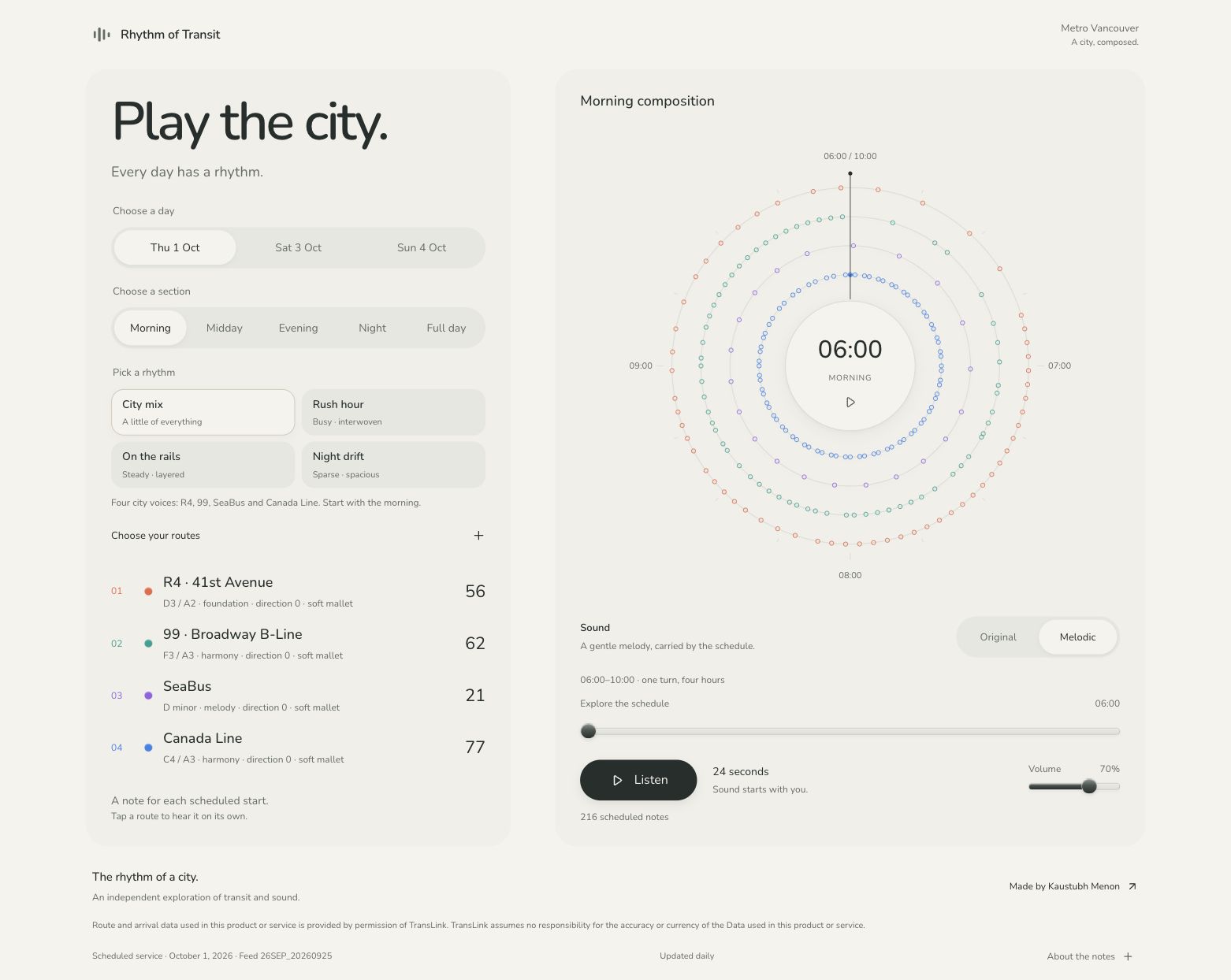
The default City mix brings together R4, 99, SeaBus and Canada Line. Every dot represents a scheduled trip start.
Decisions and system thinking
Make the schedule feel musical, without changing the data
The visual and musical layers share one timeline, while the choices keep the experience personal and easy to explore.
Give the day a familiar shape.
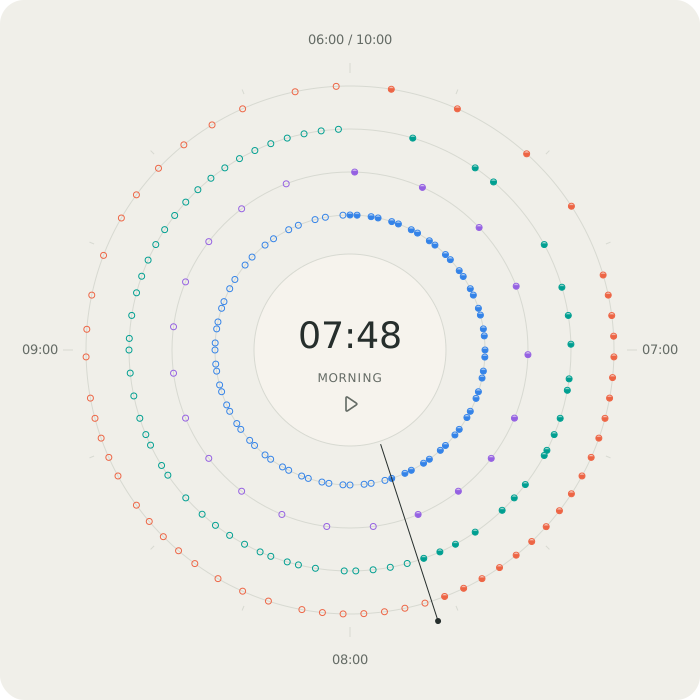
Four route rings turn around a shared clock. Morning, midday, evening and night offer focused windows; Full day reveals the service day, including quiet gaps and after-midnight starts.
Let the schedule set the rhythm.
Each scheduled start triggers a soft mallet note. Melodic uses a D minor pentatonic phrase with quieter supporting voices; Original uses four steady pitches. Timing stays unchanged in both.
Keep curiosity within reach.
Choose a preset, substitute a route, solo one voice or change its colour. Playback sits inside the clock, with a seek bar and volume controls nearby. Rounded typography and restrained motion keep the experience calm.
Listening workflow
Find a rhythm of your own
- 01Choose a service date and time window
- 02Start with a curated mix or select four routes
- 03Press Listen to begin; pause or seek at any time
- 04Solo a route to hear its contribution
- 05Compare the full day, another date or a different mix
Source and interpretation
Scheduled starts, with a creative musical layer
The source is TransLink’s official GTFS schedule, refreshed daily. Marks represent scheduled trip starts in a feed direction, sometimes from multiple origins. They are not live arrivals, measured waits or reliability scores. Four schedule hours become 24 playback seconds, preserving relative spacing. Melodies are authored interpretations rather than additional transit measurements. Extended service hours stay attached to their original service date.
Design contribution
What I contributed across the product workflow
- Circular schedule visualization and route comparison
- Calm animation and playback interaction
- Pentatonic melodic phrases and soft synthesized voices
- Curated route presets and custom colour controls
- Responsive layout and keyboard-accessible dialogs
- Daily schedule refresh and clear source attribution
Explore more public datasets through interactive visual experiences.