Supporting product work · Later
Conversations
Designed a desktop workflow helping social teams review and reply to Instagram comments while keeping post, profile, and commenter context visible.
60-second summary
Managing Instagram comments from a phone made it harder to work through volume, understand conversation history, and move between profiles.
Product Design · UI Implementation · Desktop web
Use a post-first inbox with contextual views, familiar Instagram patterns, and an explicit reply area that communicates mode and platform limits.
A public Later workflow for comment review and response, demonstrated through a customer-facing tutorial and interaction assets.
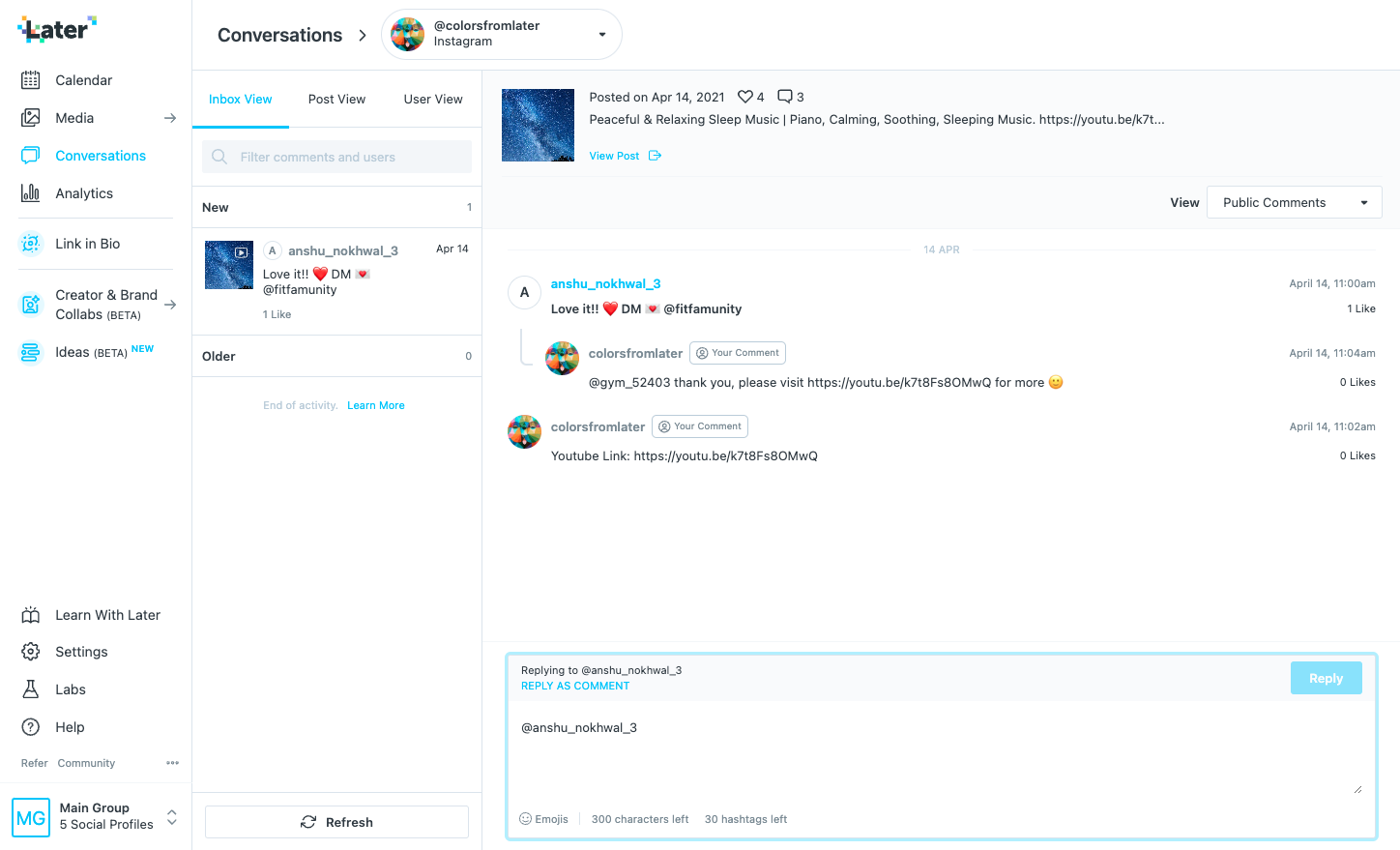
The selected post, comment thread, reply mode, and platform limits remain visible together.
Decisions and system thinking
A focused comment workflow built around context
Start with the latest conversation activity.
The default inbox orders comments chronologically and keeps the selected post visible beside the thread, helping users move from triage into a contextual reply.
Let people browse by inbox, post, or commenter.
Inbox, Post, and User views support different retrieval goals. Multi-profile switching keeps the same model useful for teams managing more than one Instagram account.
Make the response mode and limits explicit.
The composer clarifies whether the user is replying to a comment or a person, while emoji, character, and hashtag limits remain visible at the moment of action.

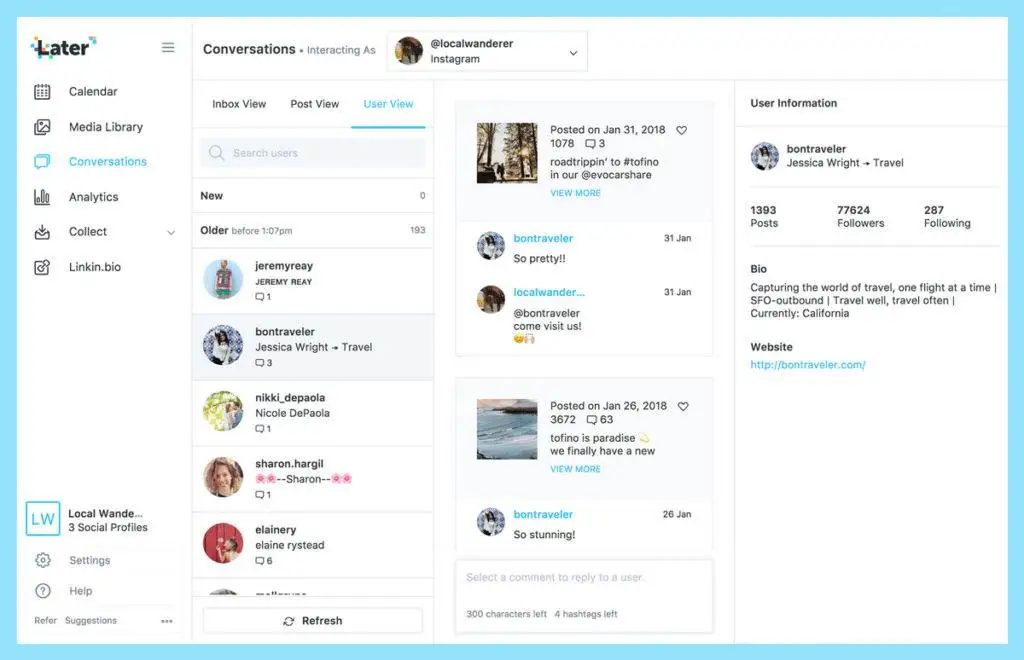
Comment workflow
From activity to a contextual reply
- 01Choose an Instagram profile
- 02Scan new and older comment activity
- 03Switch between inbox, post, or user context
- 04Select a comment and confirm the reply mode
- 05Respond within the visible platform limits
Shipped-product walkthrough
Conversations by Later walkthrough
Later’s customer-facing tutorial demonstrates that the feature shipped publicly. It is used here as product evidence rather than as a claim about adoption or business impact.
Evidence boundary
A distinct product—not a renamed messaging case
Conversations manages public Instagram comments. Messaging Elevated covers campaign and email communication inside Later Influence. Their users, data, constraints, and evidence remain separate throughout this portfolio.
Design contribution
What I contributed across the product workflow
- Project-scope definition with product
- Competitor and user research and testing
- Impact–effort prioritization
- User flows, wireframes, and prototypes
- High-fidelity product design
- Figma component-library creation
- HTML/CSS implementation quality
A separate Later Influence case focused on campaign context, inline email replies, flexible tags, and high-volume triage.